Turn clicks into documentation and automation
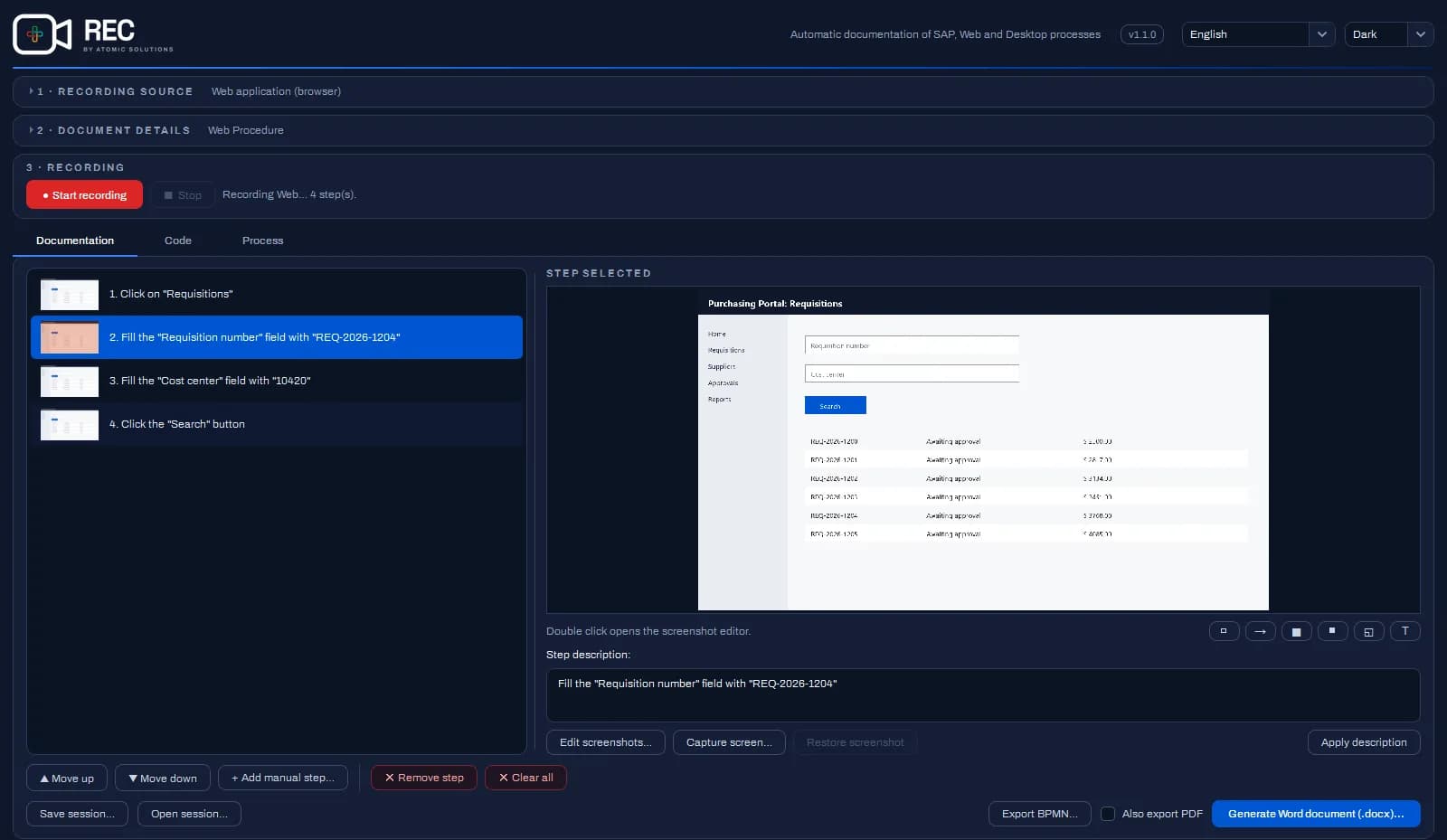
Run the process once, in SAP, in the browser or in Windows apps. REC delivers the manual with a screenshot of each step, the BPMN diagram of the process and the automation script.
No credit card required. For 64-bit Windows 10 or 11, with an internet connection to sign in.
How it works
Create your account
Sign up on the portal and use REC for 7 days, no credit card required. On the Business plan, you invite your team and manage access right here on the portal.
Install from the Microsoft Store
Installation is free and updates arrive automatically. IT can deploy REC with Microsoft's management tools, such as Intune.
Record once, deliver everything
Run the process as usual. At the end, REC generates what you need: the manual in Word and PDF, the BPMN diagram or the automation script.
Four ways to record, the same output
From SAP to the browser, including any Windows app. Pick the source and start recording.
- New
Complete process
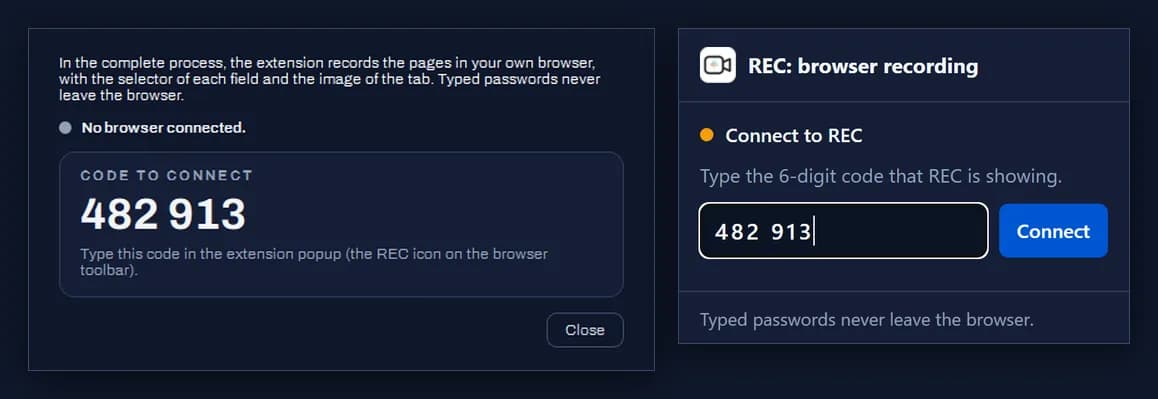
The whole process in a single recording, across SAP, the browser and Windows apps, with the steps grouped by stage. In the browser, pages are recorded by the REC extension for Edge.
Documentation, BPMN and automation project
SAP GUI
Through SAP GUI Scripting, with the transaction and the fields identified by their real names.
Documentation, BPMN, scripts and project
Web app
REC opens the machine's Edge or Chrome in a profile of its own, which keeps sign-ins and SSO between recordings. This mode does not use the extension. Scripts in Playwright or Selenium.
Documentation, BPMN, scripts and project
Desktop app
Any Windows window, including Java applications, with the name of each field and button.
Documentation, BPMN and automation project
One recording, three deliverables
Documentation for training and audits, the process design and the automation, all from the same run.
Manual in Word and PDF
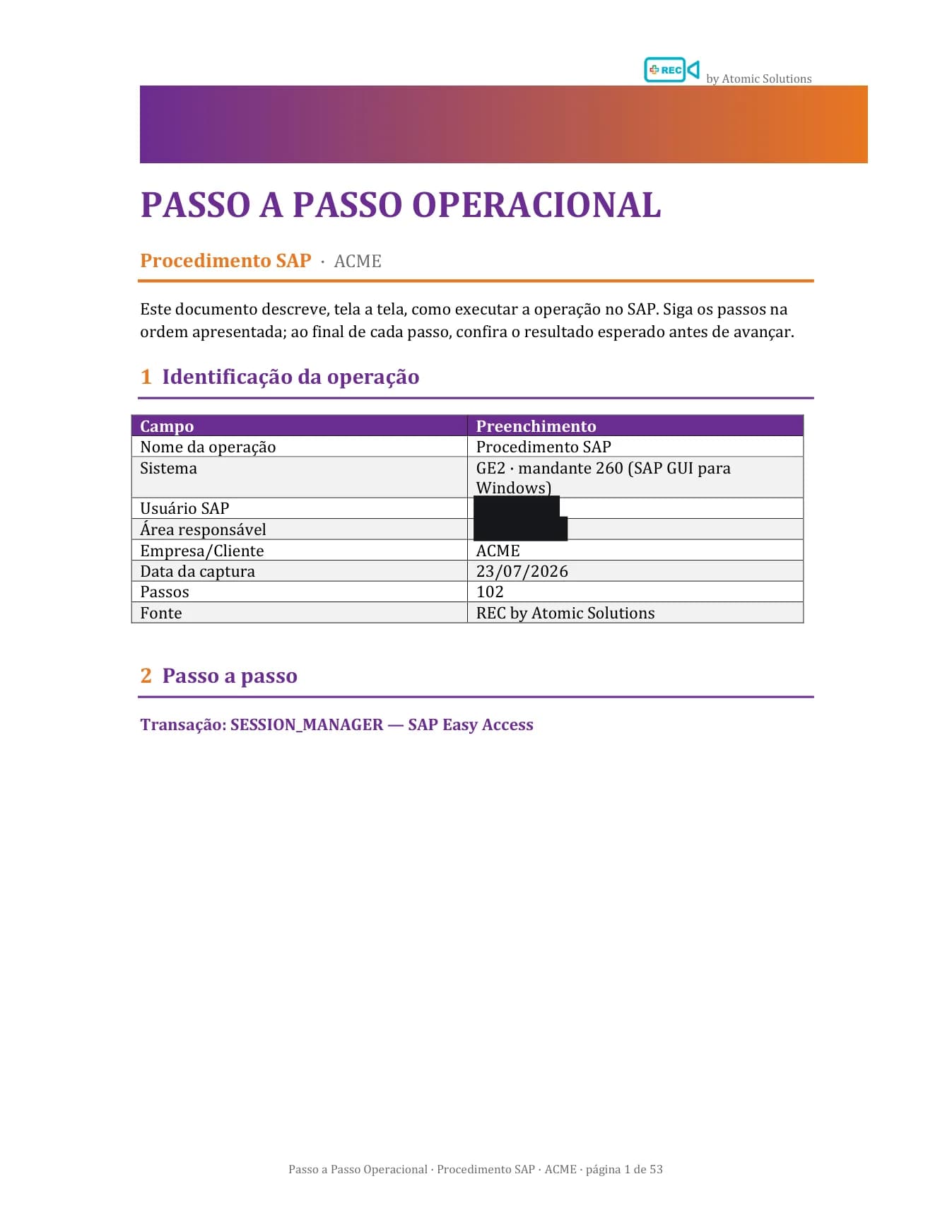
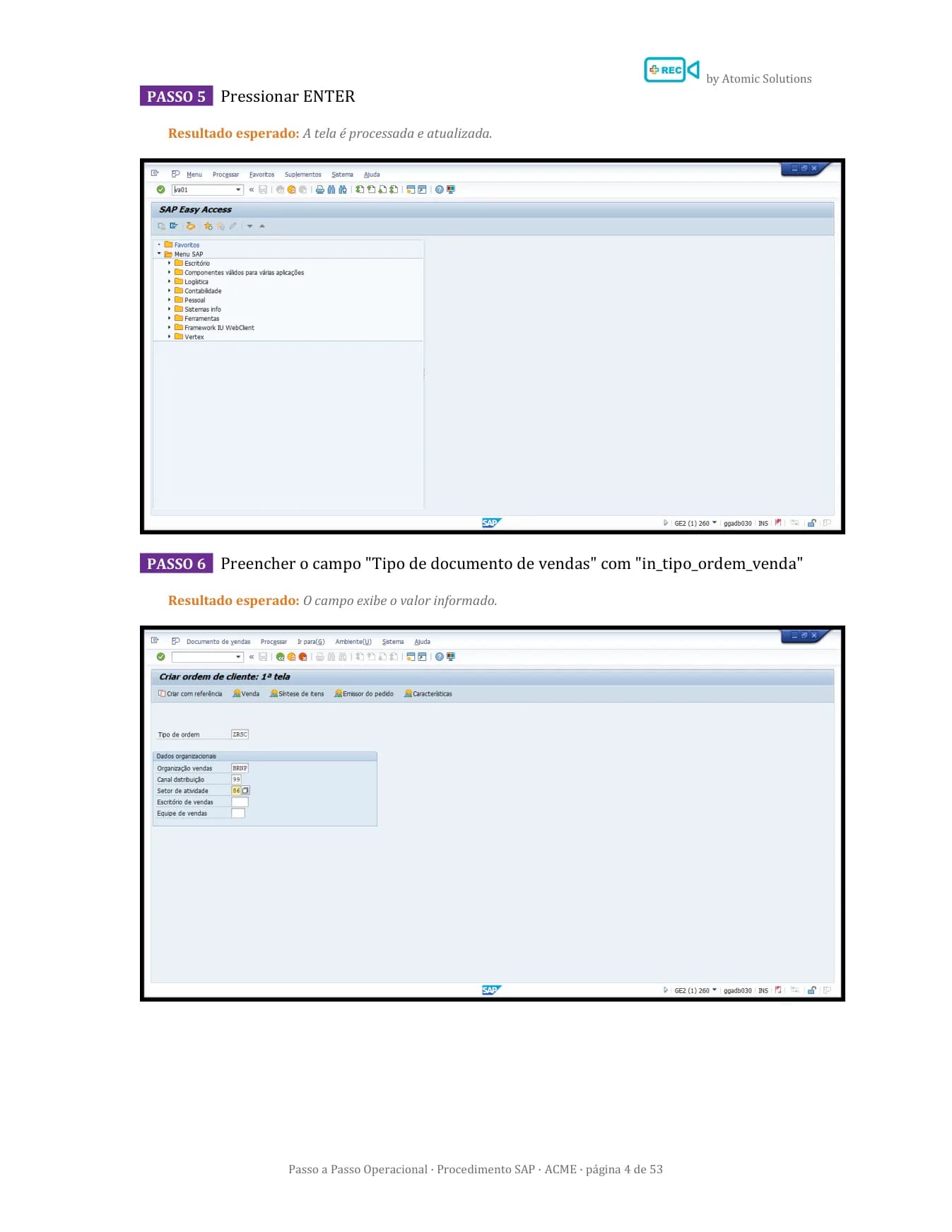
Cover page, operation details and numbered steps, with a screenshot of each step and the element used highlighted. Ready to hand to the client, the auditor or the team that will run it. It also works as test evidence and replaces the Windows Steps Recorder.
BPMN process diagram
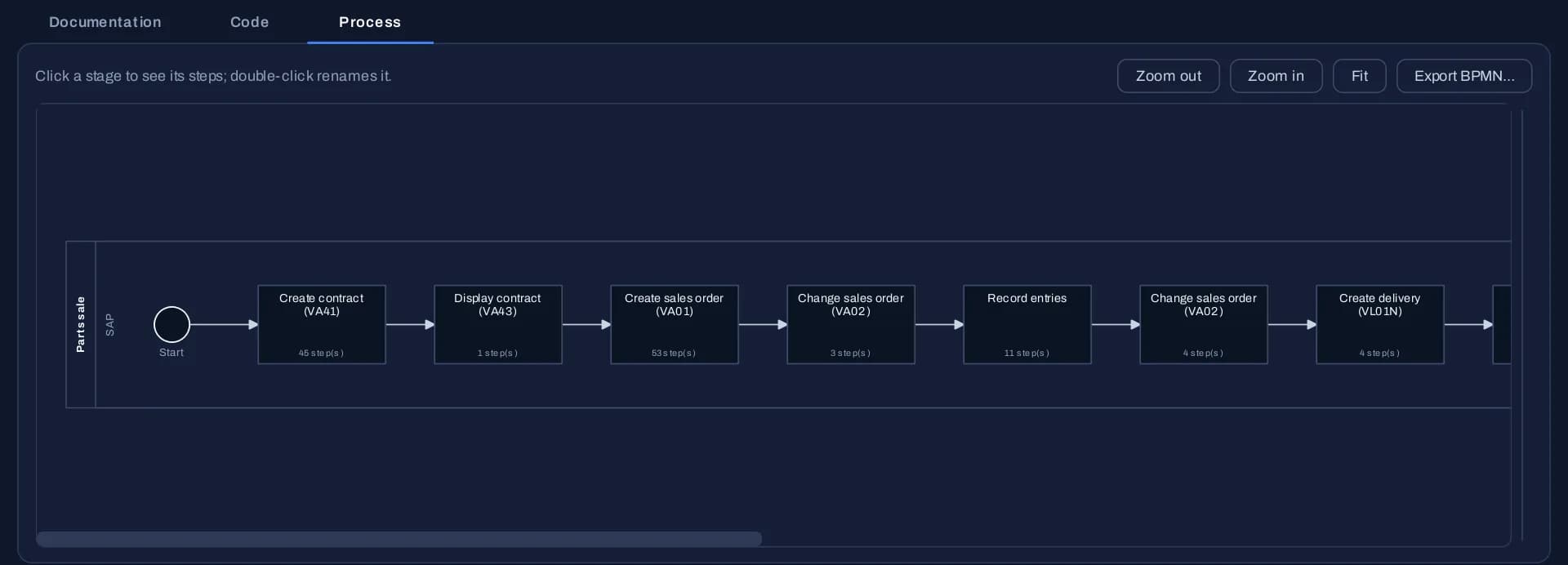
The Process tab draws the recorded flow in BPMN 2.0, one task per stage, in the order they happened. Export it to Proton or to your company's modeling tool and use it as the starting point for process mapping.
Automation script or project
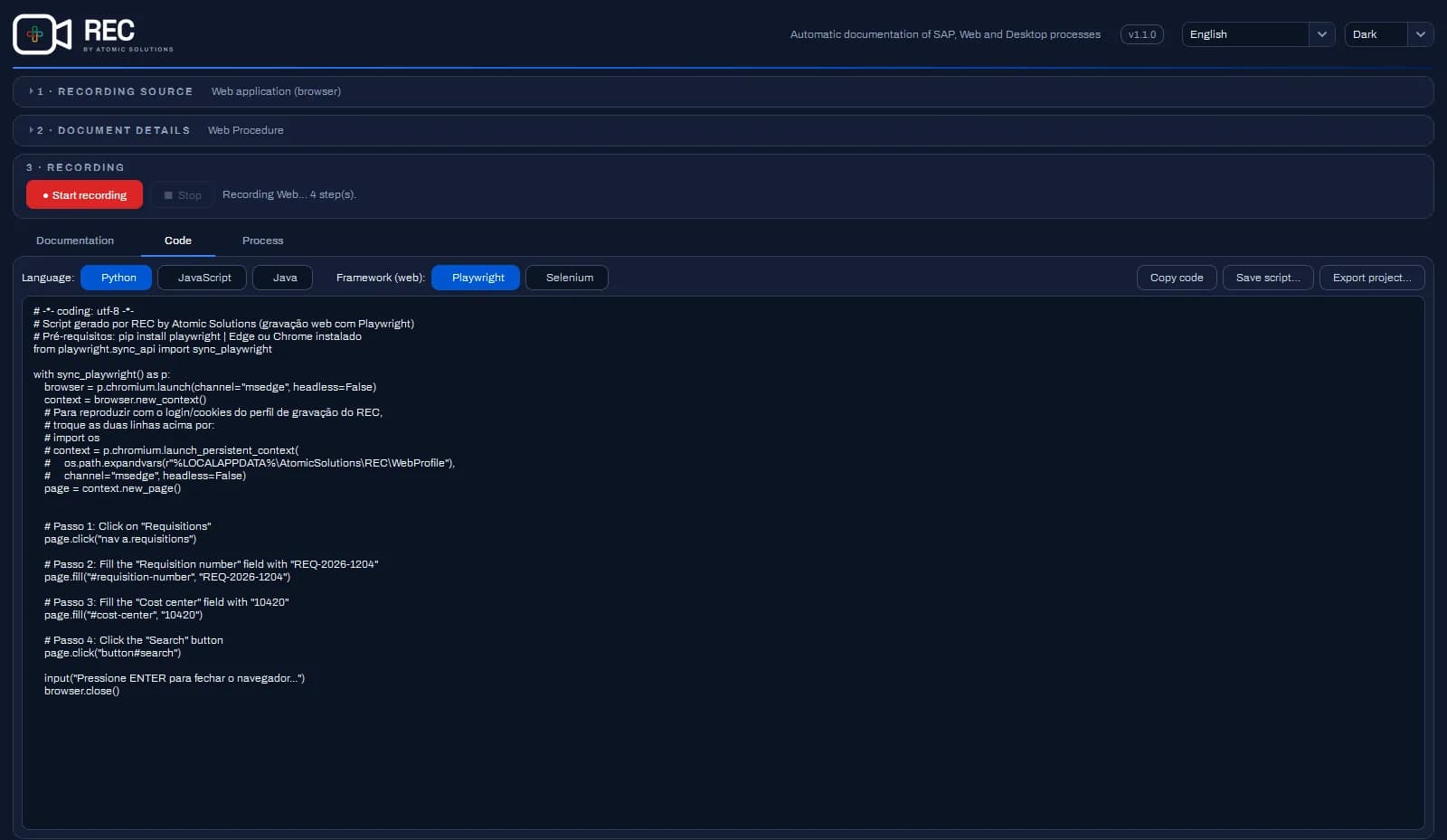
Python, JavaScript or Java, generated from the same recording: Playwright or Selenium for web and SAP GUI Scripting for SAP. Or an automation project in the Proton template, with one component per stage, that runs with pytest or on Proton.
- Python
- JavaScript
- Java
- Playwright
- Selenium
- SAP GUI Scripting
 Proton integration
From REC to Proton: from recording to automation at scale
REC records and documents the process. Proton, Atomic's automation platform, organizes, runs and analyzes automations, with distributed runners and AI.
- 01 · REC
Record the process
The run becomes stages: the same grouping used by the manual, the diagram and the code.
- 02 · REC
Take the BPMN and the project
The BPMN has one task per stage, with identifiers that stay the same on every new recording, and the project follows the Proton template, with one component per stage.
- 03 · Proton
Run and monitor
In Proton, each task in the diagram is linked to its automation component, which runs on the runners and has its results analyzed on the platform.
Already on Proton? The project generated by REC goes straight into your pipeline.
What changes day to day
Screenshot editor
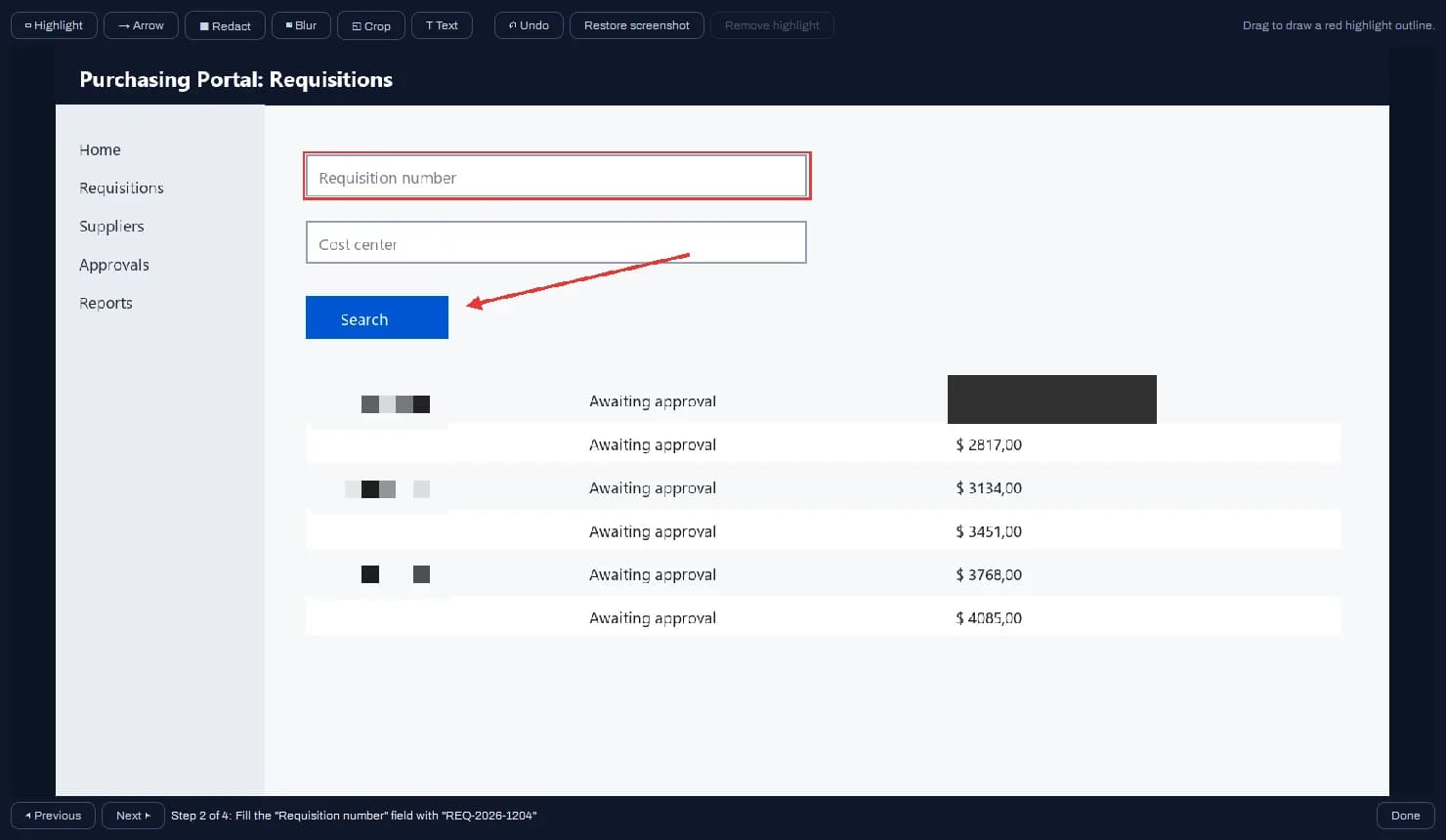
Highlight, arrow, redact, blur, crop and text: adjust each screenshot and hide what must not appear before the document goes out.
Floating bar
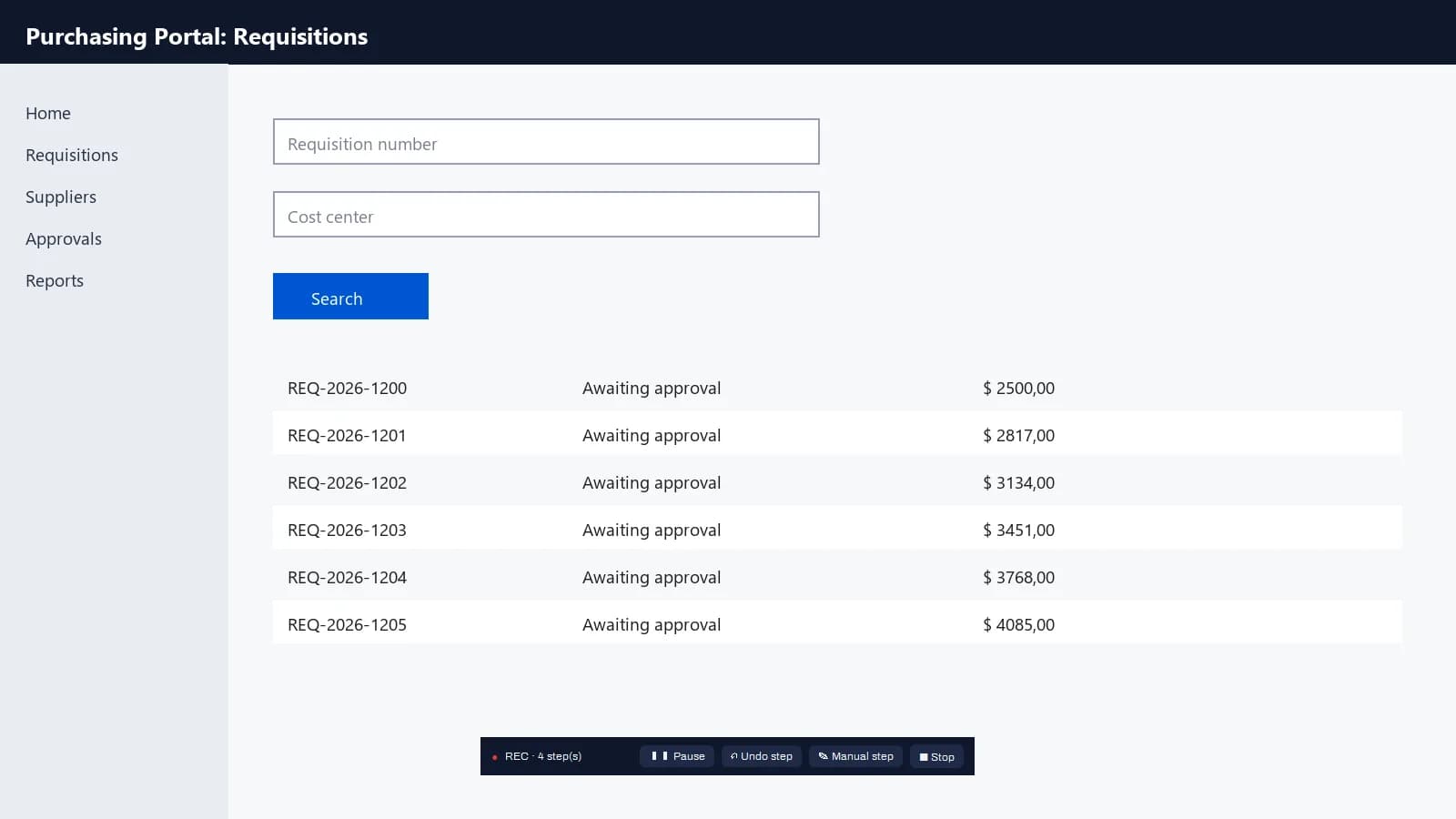
You work and REC documents. You can pause, undo the last step and add a manual step without leaving the screen.
Hidden values in one click
Hide what was typed in the descriptions and in the generated code.
Sessions in .rec files
Stop today, continue tomorrow, reorder and edit the steps.
Three languages
Interface and documents in Portuguese, English and Spanish.
Automatic draft
If the computer freezes, REC offers to recover the steps that were not saved yet.
REC extension for Edge
In the complete process, the extension records pages in the user's own browser, with their usual tabs and logins. It only talks to REC on the same computer and is paired once, with a 6-digit code.
Your recordings stay on your computer.
REC only talks to Atomic's license server, over an encrypted connection, to sign in and keep the license valid.
Local recordings
Screenshots, text, steps and documents stay wherever you choose to save them. None of it goes to the internet.
Passwords never captured
In a password field, the keystroke never becomes a character. In the extension, the step only carries •••.
Your systems' credentials
The username and password for SAP and the other recorded systems never leave the machine.
License
The license server only receives the account email, the machine ID and the REC version.
Try REC for 7 days
Create your account, install REC from the Microsoft Store and record your first process today.
No credit card required. When the trial ends, you choose your plan.