Automation scripts (SAP and web)
In the SAP and web modes, the Code tab carries a script that replays the recorded procedure. Choose the language (Python, JavaScript or Java) and, for web, the framework (Playwright or Selenium); then use Copy code or Save script….
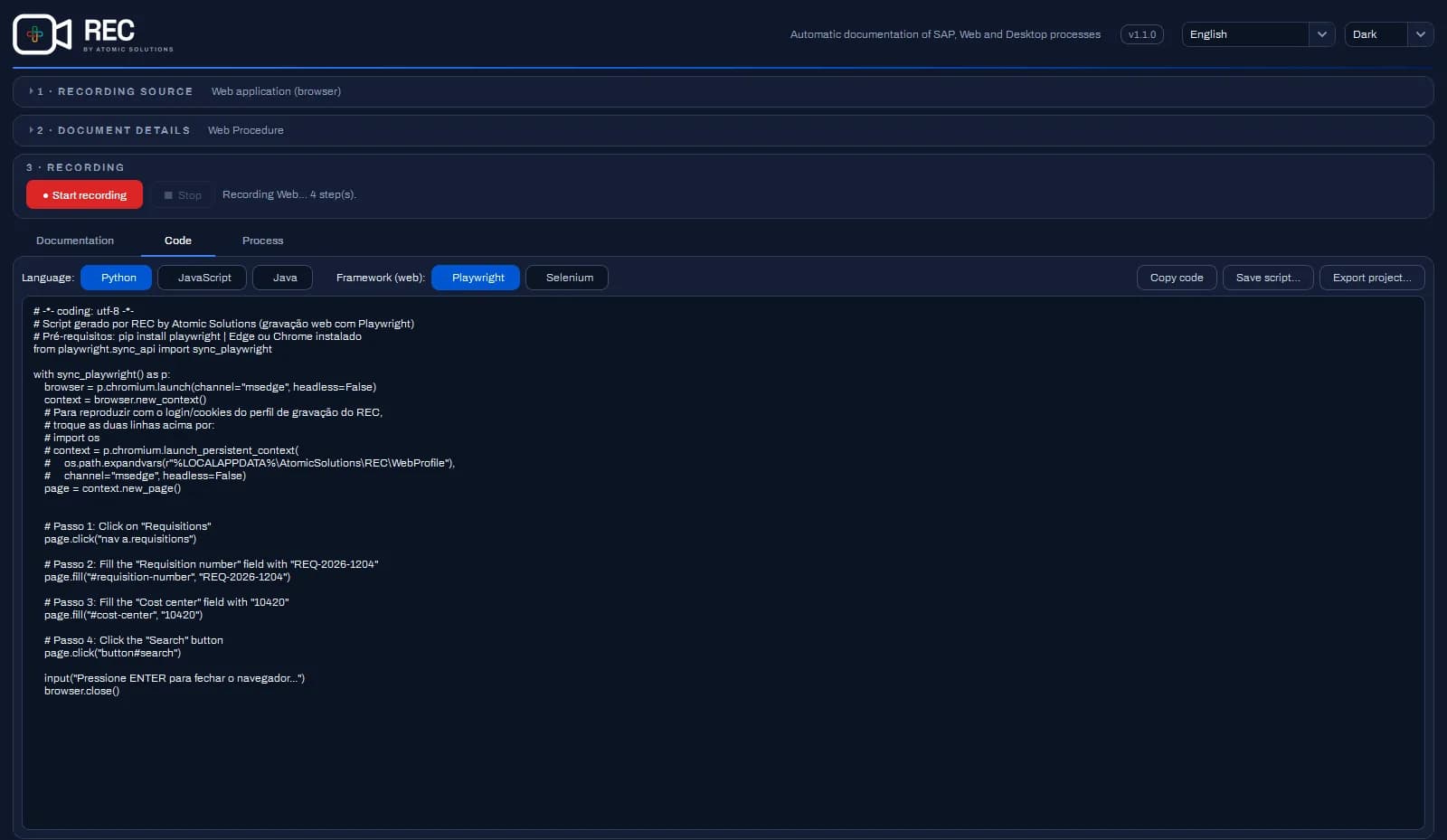
- Passwords never reach the script: the value comes out as
•••. - Web selectors are checked for uniqueness during the recording and anchored to the nearest stable element.
- In the complete process and desktop modes, the Code tab shows the project: one Python component per stage, in the structure of the Proton model project. Export project… (in any mode) saves the folder, ready to run with pytest, as a robot or through Proton.
- In the project, typed values become scenario parameters; passwords and hidden values go to the
.env, never to the scenario.