
The screenshot editor
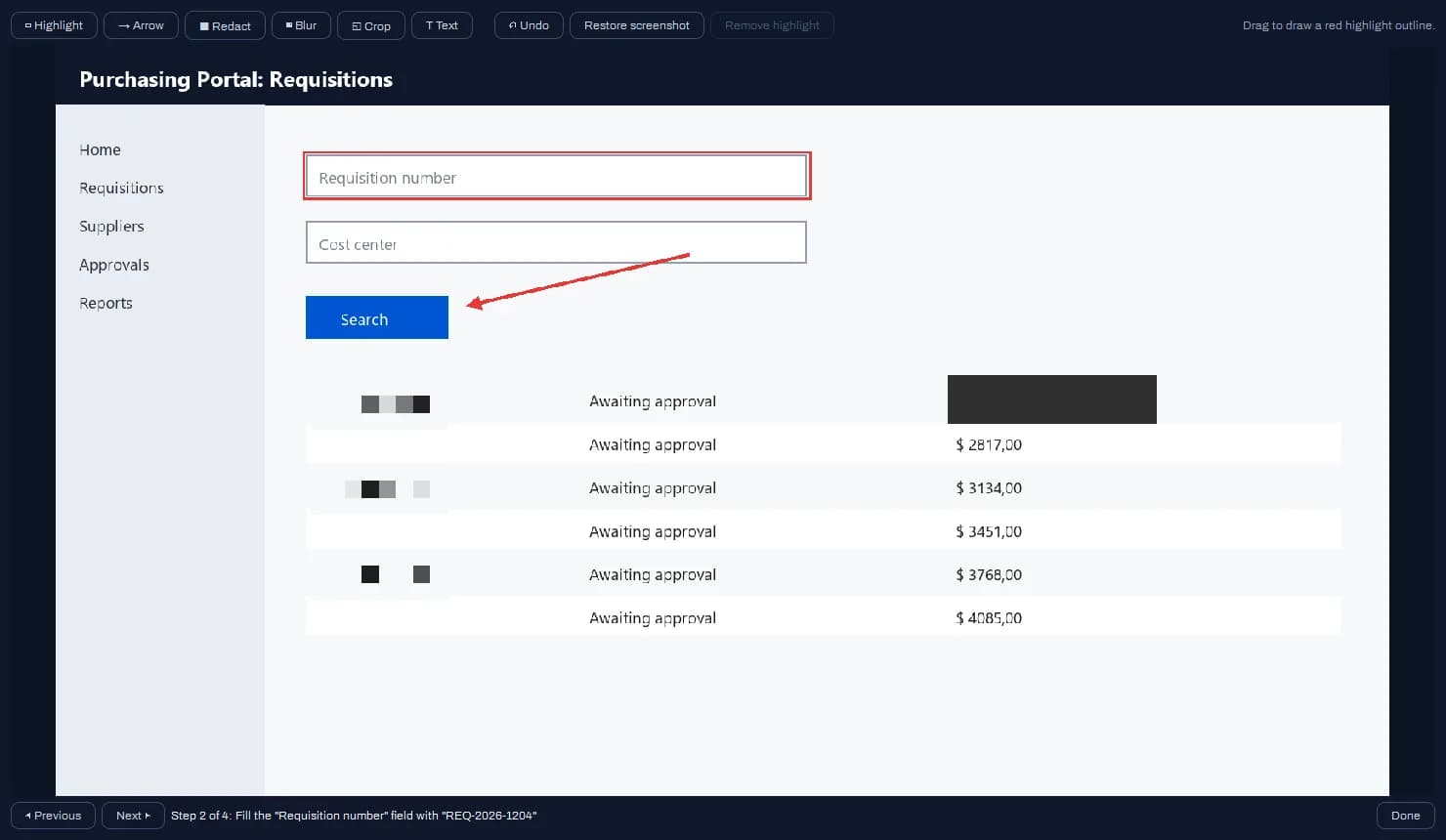
| Tool | What it does |
|---|---|
| ▭ Highlight | Red outline around the area that matters. |
| → Arrow | Arrow pointing at a spot on the screen. |
| ■ Redact | Solid bar over data that must not leave. |
| ▦ Blur | Mosaic over the region: hides it without the visual weight of a black bar. |
| ◱ Crop | Keeps only the selected area and discards the rest; nothing improves the readability of full-screen shots more. |
| T Text | Writes over the image. Drag the box into place and confirm with Enter. |
- Ctrl+Z undoes the last action; Restore screenshot brings back the step's original image.
- Remove highlight swaps the screenshot for the clean capture when the automatic highlight landed off target. Password redaction is preserved. It works during the review; once a saved session is reopened, the stored screenshot is final.