The REC window
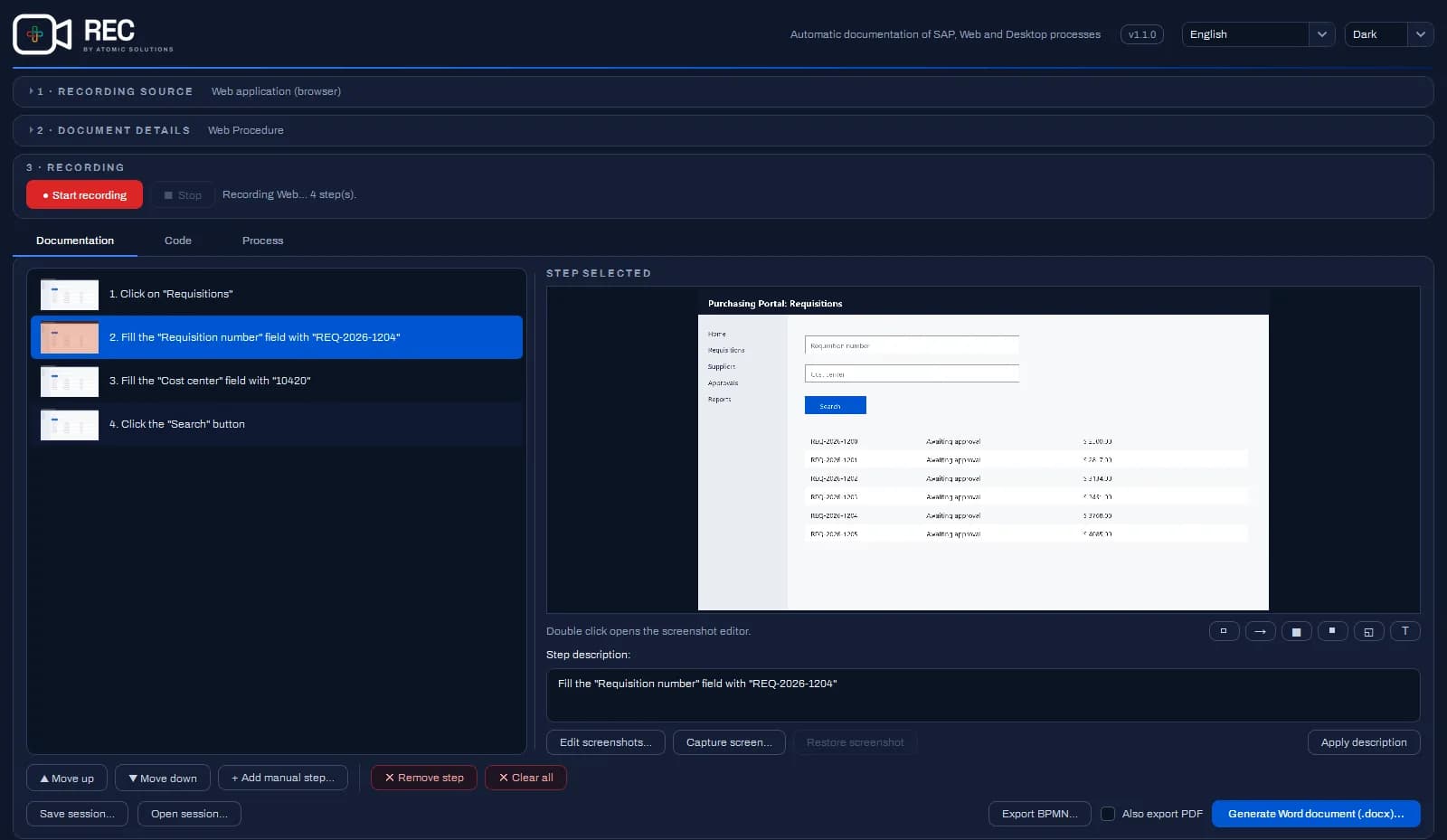
- 1 · Recording source: what the REC will follow.
- 2 · Document details: title, author, company and the introduction text that opens the document.
- 3 · Recording: start and stop, with the current state described beside them.
- Documentation: the list of captured steps, the screenshot preview and the buttons that generate the document.
- Code: the automation script (SAP and web) or the project with one component per stage (complete process and desktop), under Export project….
- Process: the BPMN diagram of the recording, with one task per stage, and the Export BPMN… button.
The top right corner holds the version (click it for the "About" box) and the interface language.